

Exploring the Clever API
Explore the Clever API with Postman and configure the collections and environments needed to make test requests.
Clever Complete Agreement RequiredThis feature is included with a Clever Complete subscription. Sign up here or email your Application Success Manager to learn more.
Use this page to explore the Clever API with Postman and configure the collections and environments needed to make test requests.
Explore the Clever API with Postman
The recommended way to make manual requests to the Clever API is with Postman.
The Clever API Developer Collection workspace provides a structured environment for testing requests, validating tokens, and troubleshooting API behavior.
Start here:
Postman securityTo learn more about how Postman handles security, see Postman Trust and Security.
Get started
Follow these steps to use the Postman workspace:
- Create a free Postman account at postman.com.
- Fork the API collections you want to use.
- Fork or configure the environment variables used by those collections.
- Select the correct environment before sending requests.
Choose the right token for each collection
Use the correct token type for the collection you are testing:
- Identity API — use a bearer
access_tokenfrom the Clever SSO login flow - Data API — use a district-app token
- Library-accessible endpoints — use a bearer
access_token - Events API — enable Events API access in your application dashboard under Settings > Integration
Fork a collection
Forking in PostmanTo learn more about forking in Postman, see Forking Elements in Postman.
After you create your Postman account:
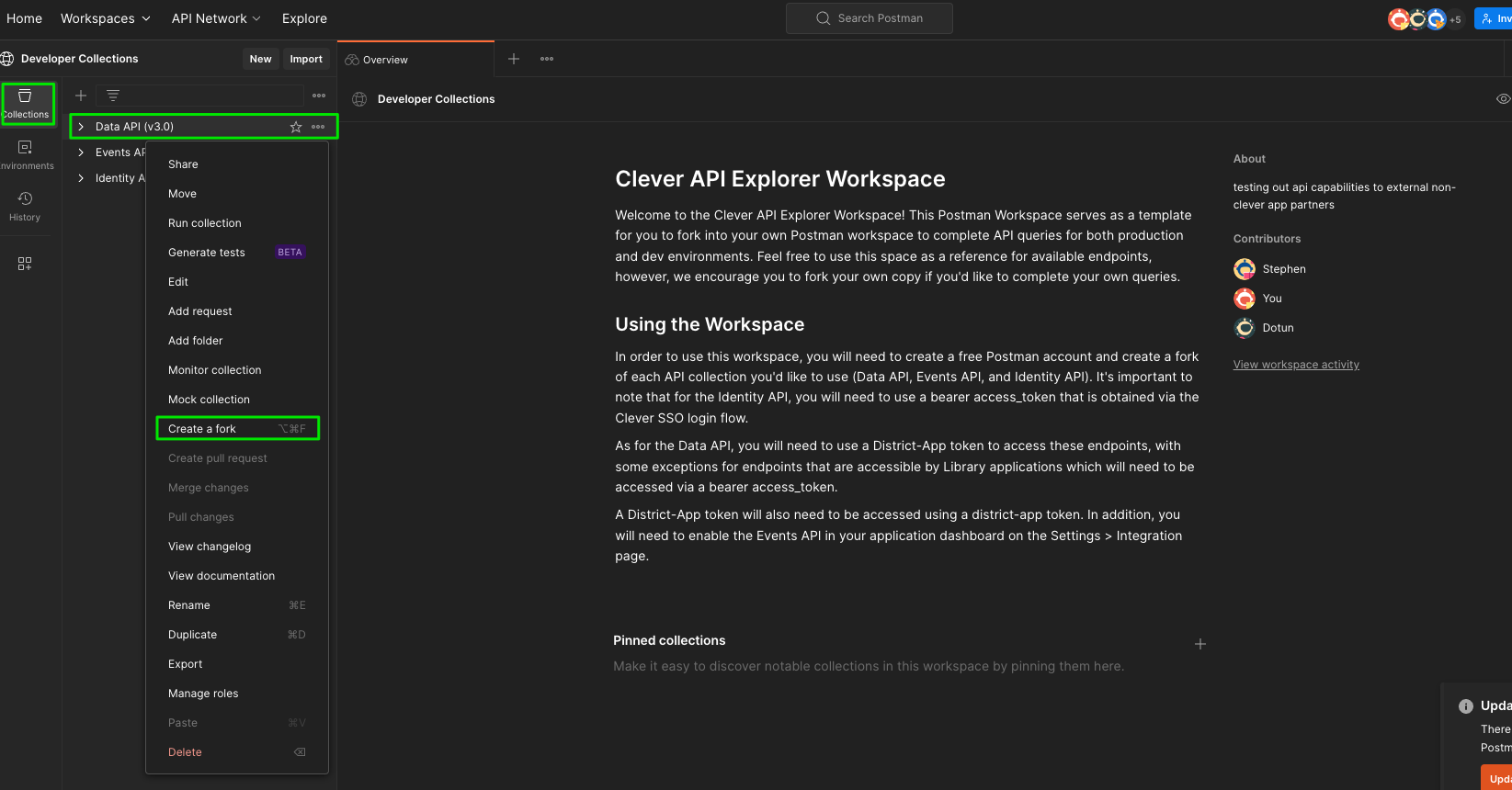
- Open the Clever Postman workspace.
- Find the collection you want to use.
- Open the actions menu (three dots) next to that collection.
- Select Create a fork.
- Follow the prompts to create your fork.
Configure environment variables
Using variables in PostmanTo learn more about Postman variables, see Using Variables in Postman.
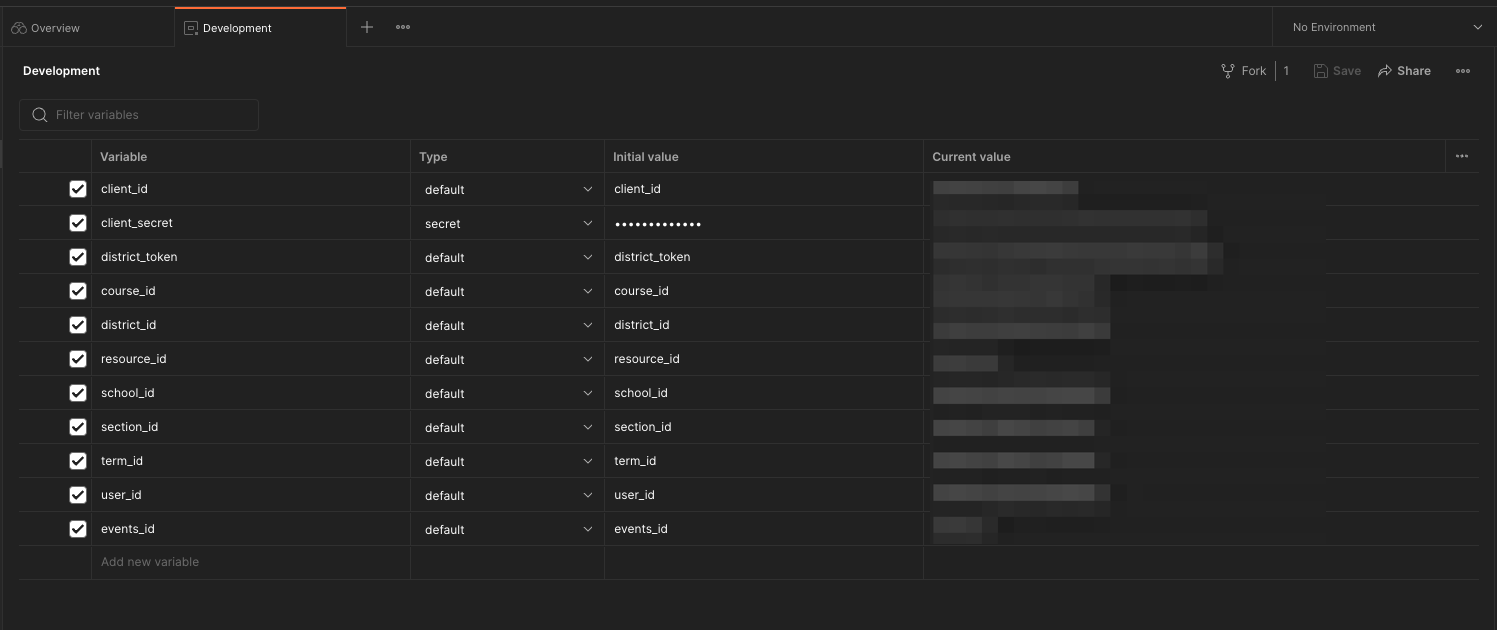
You can create your own environment, but the Development environment is already configured to work with the provided collections.
Fork the environment
Fork the environment variables you plan to use before sending requests.
Select the environment before testing
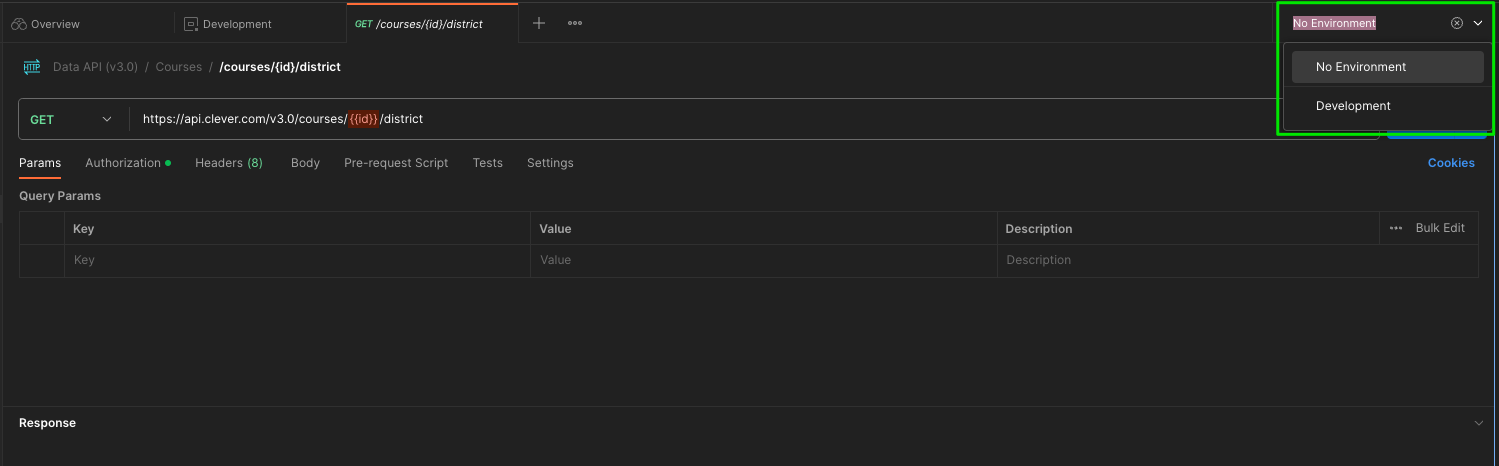
Before you make any API calls, select the Development environment in Postman.
If you do not select the correct environment, the collection will not be able to resolve variables correctly and your requests will fail.
Updated 7 months ago